How to Fix "xinput1_3.dll Was Not Found or Missing" Error on Windows 11 & 10
Updated September 2026 | Technical Troubleshooting Guide | 6 min read
You click "Play" on an exciting PC game—whether it's Skyrim, Fallout 4, Dark Souls, or an emulation title—and Windows immediately halts with an error dialog: "The code execution cannot proceed because xinput1_3.dll was not found. Reinstalling the program may fix this problem."
Reinstalling the game almost never solves this problem. In this guide, you will learn exactly why this error occurs on modern Windows installations and the verified methods to fix it permanently and safely.
What Is xinput1_3.dll and Why Is It Missing?
xinput1_3.dll is a dynamic link library belonging to the Microsoft DirectX 9.0c End-User Runtime. It provides the application programming interface (API) that allows PC games to communicate with Xbox 360 gamepads, reading analog sticks, pressure-sensitive triggers, and sending vibration commands.
When Microsoft released Windows 10 and Windows 11, they pre-installed modern DirectX 12 and DirectX 11 runtimes alongside XInput1_4.dll. However, to save disk space and encourage modernization, Microsoft omitted legacy DirectX 9 redistributable files from the clean OS image.
Because games built between 2005 and 2018 were compiled specifically to look for xinput1_3.dll in your system folder, they immediately crash when they cannot find that exact file.
⚠️ Warning: Avoid Random DLL Download Websites
Never download standalone DLL files from third-party "free DLL fix" websites. These files frequently contain embedded trojans, cryptominers, or mismatched architectures (e.g., a 32-bit DLL dropped into a 64-bit game folder), which causes an even more severe crash code: 0xc000007b.
Method 1: Install the Official Microsoft DirectX End-User Runtimes (Recommended)
The safest system-wide fix is to install the official legacy DirectX runtime package directly from Microsoft:
- Visit the official Microsoft Download Center and search for DirectX End-User Runtimes (June 2010).
- Download the installer package (
directx_Jun2010_redist.exe). - Run the executable and extract the files to a temporary folder on your desktop (e.g.,
C:\TempDirectX). - Open the temporary folder, locate
DXSETUP.exe, right-click it, and select Run as administrator. - Accept the license agreement and click Next. The installer will scan your system and install all missing legacy libraries, including
xinput1_3.dll,d3dx9_43.dll, andd3dx11_43.dll. - Once complete, restart your PC and launch your game.
Method 2: Use XInputPlus for Per-Game Wrapper Repair
If you do not have administrator permissions to run system installers, or if you are using a third-party DirectInput controller that needs custom button mapping, the easiest and cleanest method is using the XInputPlus wrapper:
- Download the latest verified release from our XInput Download Page.
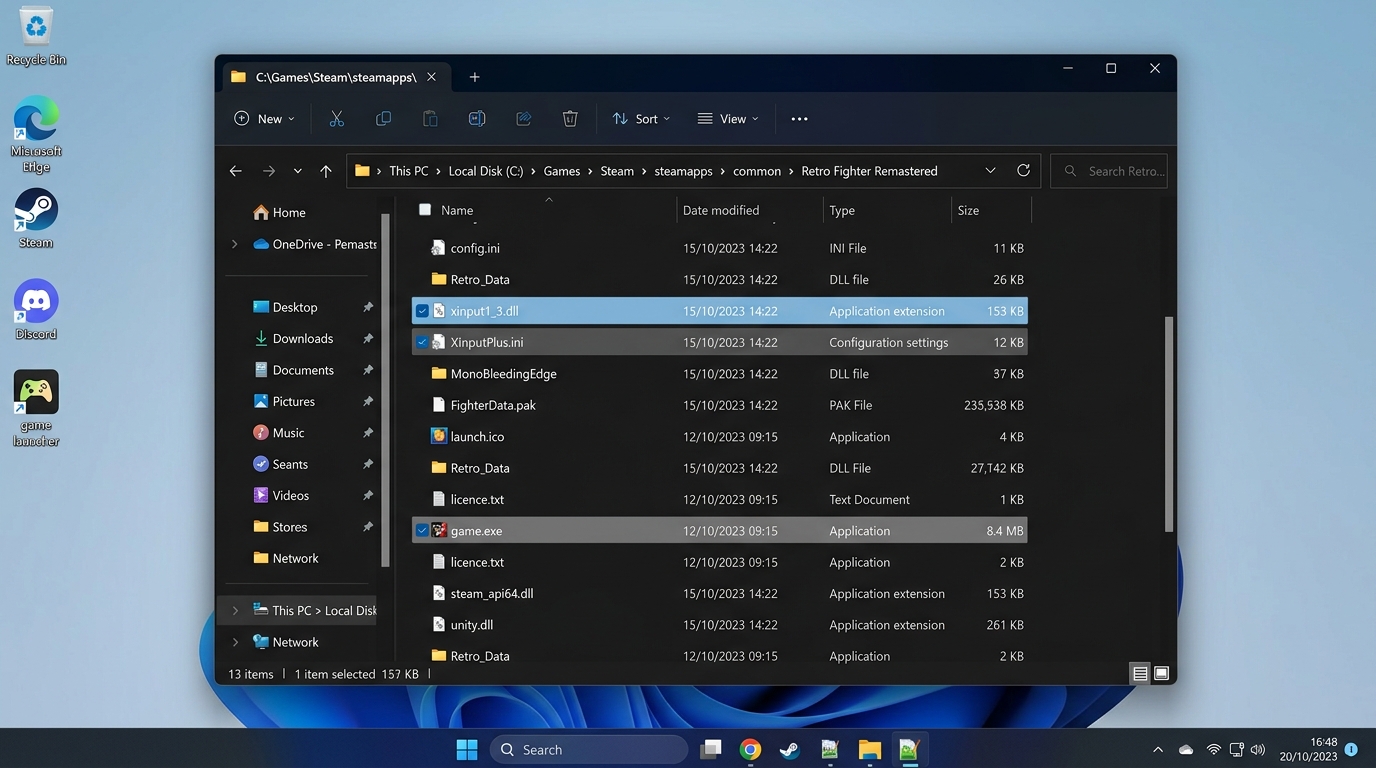
- Extract
XInputPlus_Ver4.16.1.zipon your PC. - Navigate to the extracted folder and locate the clean
xinput1_3.dllwrapper. - Copy
xinput1_3.dlldirectly into the folder where your game's executable file (.exe) is installed (e.g.,steamapps\common\YourGame\). - Launch the game. Windows will load the DLL directly from the game directory, satisfying the dependency and allowing your controller to work immediately.
Method 3: Check Game Architecture (32-bit vs 64-bit)
If you placed xinput1_3.dll into the game folder but encounter error code 0xc000007b, you are using the wrong architecture:
- 32-bit Game (x86): Requires a 32-bit compiled
xinput1_3.dll. On 64-bit Windows, the system 32-bit files reside inC:\Windows\SysWOW64\. - 64-bit Game (x64): Requires a 64-bit compiled
xinput1_3.dll. On 64-bit Windows, the system 64-bit files reside inC:\Windows\System32\.
XInputPlus automatically detects your target game executable's architecture and deploys the matching 32-bit or 64-bit wrapper DLL when configured via its GUI.
Frequently Asked Questions
XInput1_4.dll by default. Older game titles that hardcoded references to version 1.3 require the legacy runtime library to be installed or wrapped locally.
Next Steps & Related Guides
Now that your game is running, learn how to configure and calibrate your controller: